


Every donor thanked, every gift on record
The thank-you goes out on its own the moment a gift succeeds, and every donor lands in a list you can use, with what they gave and how often.
What you get with donors and receipts
Instant receipts
One receipt per donation, sent as soon as the payment succeeds, with your legal name and tax or charity number and replies going to your inbox.
From your own address
On Grassroot, receipts come from your organization’s own email address instead of GivePilot’s.
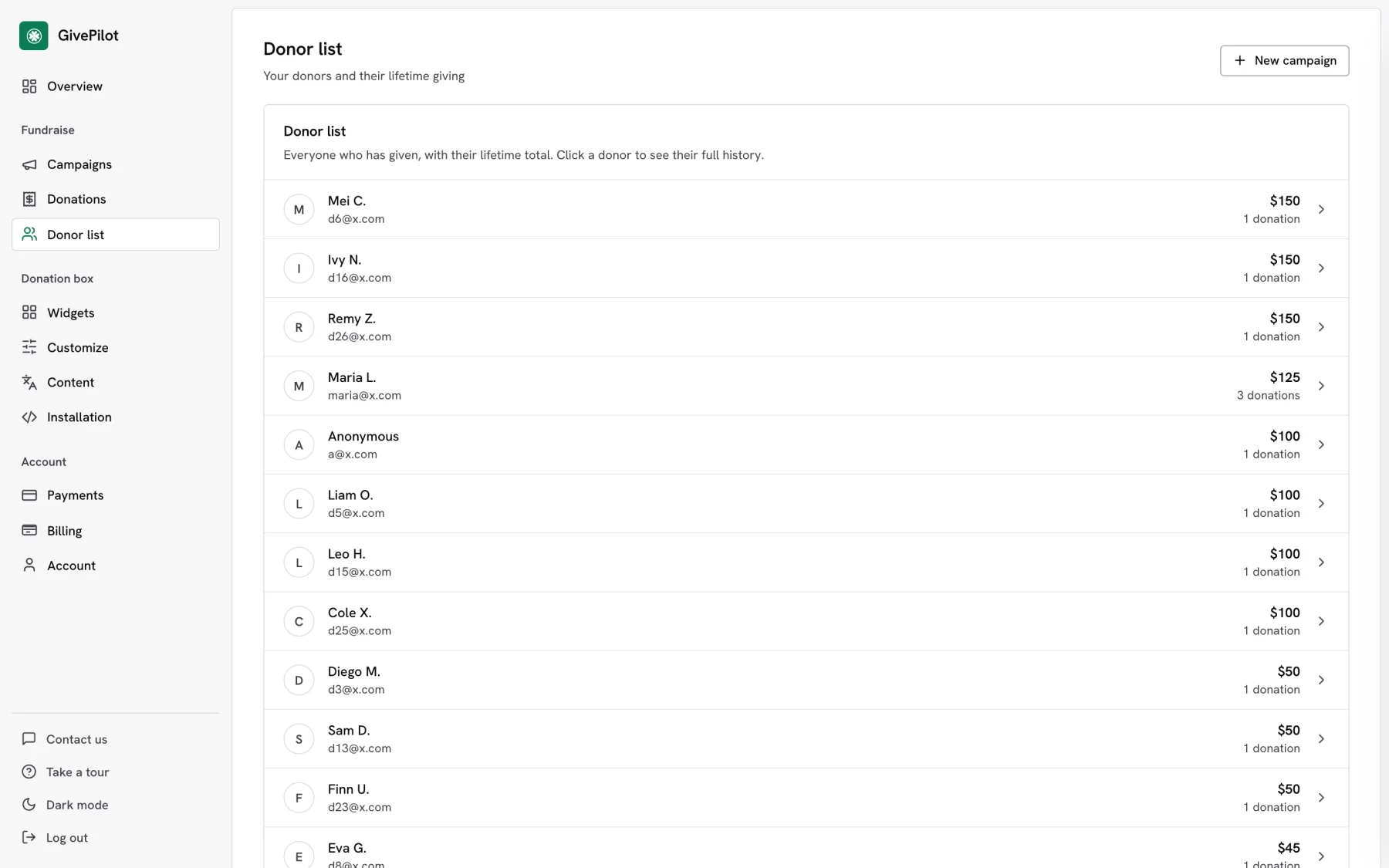
A donor list
Every donor with their lifetime giving and number of gifts, so you know who to thank first.
Every gift in one list
Each donation with its donor, amount, fund, campaign, type and current status, in pages you can move through or download as a CSV.
A donor portal
Recurring donors see their own history and manage their gift with a one-time email code. Nobody needs a password.
No card details stored
Donors pay on the checkout of Stripe, PayPal or Square, so GivePilot keeps the gift and the donor, never the card.
A donation notification email for every new gift
GivePilot sends your team an email for every gift, recurring payments included, so you can thank each donor without watching the console. New gift alerts are on from the start, on every plan.
| In the alert | What it tells you |
|---|---|
| Donor | Who gave. For an anonymous gift you still see the donor, marked as shown publicly as Anonymous. |
| Gift | The amount, the frequency, the fund and the campaign |
| Fees and receipt | Any processing fees the donor covered, and the receipt number |
| View donation | A button that opens the gift in your console |
Alerts go to the address you set in Customize, under New gift alerts. Without one, they go to your reply-to address, and without that, to the email you sign in with. You can switch them off in the same place.
How it works
- Set the reply-to email during setup, then add your legal name and tax number in Customize, under Receipts.
- A donor gives and their receipt goes out the moment the payment succeeds.
- The gift appears in Donations and the donor in your Donor list.
Questions about donors and receipts
When is the receipt sent?
Who do donor replies go to?
Do donors need an account?
Can we get an email every time someone donates?
More GivePilot features
Tax receipts
Receipts with your legal name, tax number, a receipt number and your statement.
See tax receipts GrassrootMonthly giving
Recurring gifts through Stripe, a receipt every month and a donor portal.
See monthly giving Every planConsole
Your totals, a 30-day chart, every gift, donor and campaign in one place.
See the consolePut a donation box on your website today
Set up in a few minutes, connect the payment account you already use and take your first gift before the day is out.