


What you need
- A Stripe account that is activated for payments
- Your Secret key, which starts with sk_ (or a restricted key that starts with rk_)
- Your GivePilot console open on Payments
Step 1: Get your credentials from Stripe
- Sign in at dashboard.stripe.com and open Developers, then API keys.
- Decide on the mode. Use test mode while you try things out and live mode when you are ready for real donations. Keys from the two modes are different.
- Reveal and copy the Secret key. It starts with sk_test_ in test mode and sk_live_ in live mode.
Step 2: Paste them into GivePilot
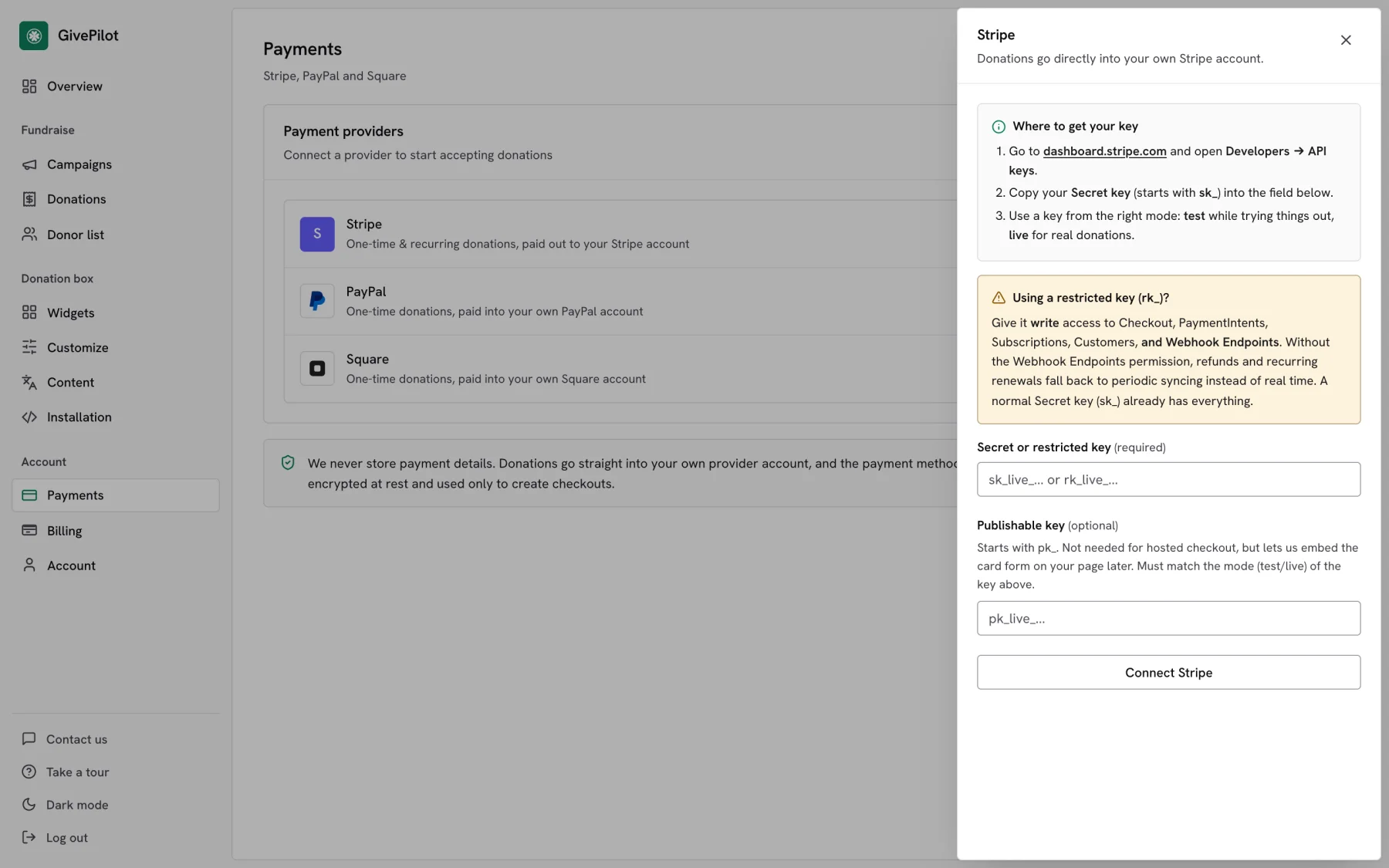
- In your GivePilot console, open Payments and press Connect next to Stripe.
- Paste the key into Secret or restricted key.
- Leave Publishable key empty unless you have one handy. It is optional and must match the mode of your secret key.
- Press Connect Stripe. Stripe now shows as connected, with live or test mode beside it.
Step 3: Take a test donation
GivePilot creates the webhook it needs inside your Stripe account through the key you pasted, so refunds and recurring renewals update your console without you opening Stripe’s webhook settings.
Open the page with your donation box, give a small test gift and check that it appears in Donations in your console with its receipt. Then switch to live credentials if you started in test mode.
Tips
Using a restricted key?Give it write access to Checkout, PaymentIntents, Subscriptions, Customers and Webhook Endpoints. Without Webhook Endpoints, refunds and renewals still arrive, through a periodic sync instead of in real time. A normal secret key already has everything.
Ask Stripe about nonprofit pricingStripe offers discounted processing to registered nonprofits in the US, Canada, Australia, New Zealand and a list of European countries when most of the account’s volume is tax-deductible donations. You apply through Stripe support; see Stripe’s requirements.
Test before you go liveWith a test key connected, give through your own box using Stripe’s test card 4242 4242 4242 4242 with any future expiry date and any CVC. When the gift shows up in Donations, switch to your live key.
Common questions
Does Stripe handle monthly donations in GivePilot?
Yes. Monthly gifts, and weekly, quarterly and yearly ones, all run through Stripe, so connect Stripe if you plan to use recurring giving on the Grassroot plan. Each renewal sends the donor a receipt and appears in your console.
Where does the money go?
Into your own Stripe balance, and from there to your bank on your normal Stripe payout schedule. GivePilot never holds the funds.
Can I connect Stripe and Square together?
Yes. When both are connected you choose which one runs the main Donate button for one-time gifts. Recurring gifts always use Stripe.
Is my key safe?
Your key is encrypted at rest and used only to create checkouts and the webhook GivePilot needs. Donors pay on Stripe’s own checkout, so card details never reach GivePilot.