


What you need
- A Square account with a business location
- An application on the Square Developer dashboard
- Its Access token for Sandbox or Production
Step 1: Get your credentials from Square
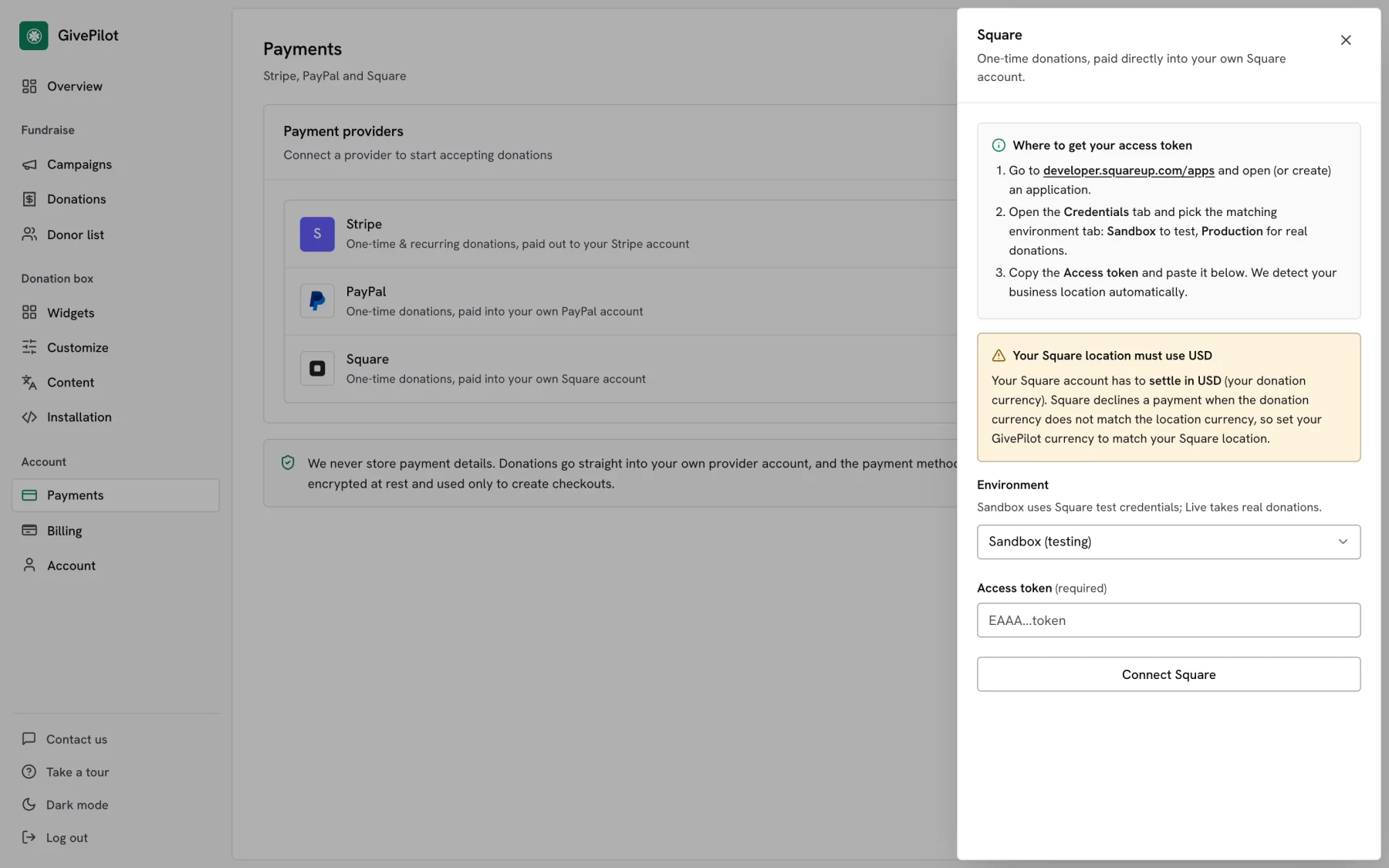
- Go to developer.squareup.com/apps, sign in with your Square account and open an application, or create one.
- Open the Credentials tab and pick the matching environment: Sandbox to test, Production for real donations.
- Copy the Access token.
Step 2: Paste them into GivePilot
- In your GivePilot console, open Payments and press Connect next to Square.
- Set Environment: Sandbox for testing, Live for real donations.
- Paste the Access token. There is no location ID to type; GivePilot finds your business location for you.
- Press Connect Square. Square now runs the card button for one-time gifts, or shares it with Stripe if you connect both.
Step 3: Take a test donation
Donations are paid into your Square account and show in your GivePilot console with the donor’s details, and every donor gets a receipt from your organization.
Open the page with your donation box, give a small test gift and check that it appears in Donations in your console with its receipt. Then switch to live credentials if you started in test mode.
Tips
Your Square location must use your donation currencySquare settles in the currency of your business location and declines a payment in any other currency. Set your GivePilot currency to match your Square location, and GivePilot warns you on connect if they differ.
Sandbox firstA Sandbox token lets you try the whole flow with Square’s test cards before you switch to a Production token.
Common questions
Can donors give monthly with Square?
Square in GivePilot handles one-time donations. Recurring gifts run through Stripe, so connect Stripe as well if you want weekly, monthly, quarterly or yearly giving.
Can I use Square and Stripe together?
Yes. With both connected, you choose which one runs the main Donate button for one-time gifts, and recurring gifts use Stripe.
Do I need to find my location ID?
No. GivePilot reads your business location from the token, so the token is the only thing you paste.
Is my token safe?
Your token is encrypted at rest and used only to create checkouts. Donors pay on Square’s own checkout.