


Nonprofits rarely switch donation platforms, because moving donors, recurring gifts and forms is painful. That makes the first choice worth getting right. This comparison covers six platforms nonprofits shortlist most often, what each is built for, and how each one makes its money. If you are still deciding which kind of platform you need, our guide to the five types of online fundraising platforms explains each.
The short version
| Platform | Built for | How it charges |
|---|---|---|
| GivePilot | A donation box, donate button and campaigns on your own website | Free plan for the first 5 donations, then $8.99 or $17.99 a month; nothing taken from gifts |
| Zeffy | Nonprofits in North America that want a free all-in-one tool | Free to the nonprofit; funded by optional donor tips |
| Givebutter | Campaign pages, events and a free donor CRM | 0% platform fee with tips on, 3% with tips off; optional Plus plan |
| Donorbox | Donation forms and recurring giving at scale | 2.95% platform fee on Standard, lower on paid plans from $150 a month |
| GoFundMe | Personal and nonprofit fundraisers with a large audience | No platform fee; transaction fee per gift |
| Bloomerang | Donor management and retention for growing teams | Annual pricing, quoted per organization |
Pricing from each company’s own pricing page, read November 13 and rechecked November 17, 2026.
1. GivePilot
GivePilot puts the donation flow inside your own website: a donation box for any page, a floating donate button on every page, and a campaign box with your story, photos, a live progress bar, the deadline and messages from donors. It works through apps on Wix and Shopify and with two lines of code anywhere else.
- Payments: Stripe, PayPal and Square, paid straight into your own accounts.
- Monthly giving: through Stripe on the Grassroot plan, with a passwordless donor portal.
- Receipts: one per gift, sent instantly in your organization’s name.
- Cost: no platform fee on any gift; $8.99 a month for Premium or $17.99 for Grassroot once you pass the Free plan’s five donations.
It suits nonprofits whose website already explains the cause, and who want every gift to happen there.
2. Zeffy
- How it charges: Zeffy is free for nonprofits and covers transaction fees, funded by optional tips donors add at checkout.
- Includes: forms, ticketing and other tools, built for nonprofits across North America.
- Fits: US and Canadian nonprofits that want no fees and are comfortable with donors being asked for a tip.
3. Givebutter
- How it charges: Givebutter takes a 0% platform fee with tips on, or a flat 3% with tips off, plus standard processing of 2.9% + 30¢ on cards.
- Includes: campaign pages, events, peer-to-peer fundraising and a free CRM.
- Upgrade: Givebutter Plus starts at $29 a month.
4. Donorbox
- How it charges: Donorbox takes 2.95% on forms on the free Standard plan, 1.75% on the $150-a-month Pro plan and 1.6% on Premium.
- Processing: billed separately by Stripe or PayPal.
- Focus: donation forms and recurring giving.
5. GoFundMe
- How it charges: GoFundMe takes no platform fee and deducts 2.2% + $0.30 per gift for certified nonprofit fundraisers, or 2.9% + $0.30 for individuals.
- Strength: a very large audience of people who already know how to give there.
6. Bloomerang
- How it charges: Bloomerang quotes annual pricing per organization.
- Includes: fundraising, donor management and volunteer tools, with unlimited users.
- Fits: teams where donor management and retention are the bigger problem.
How to choose between them
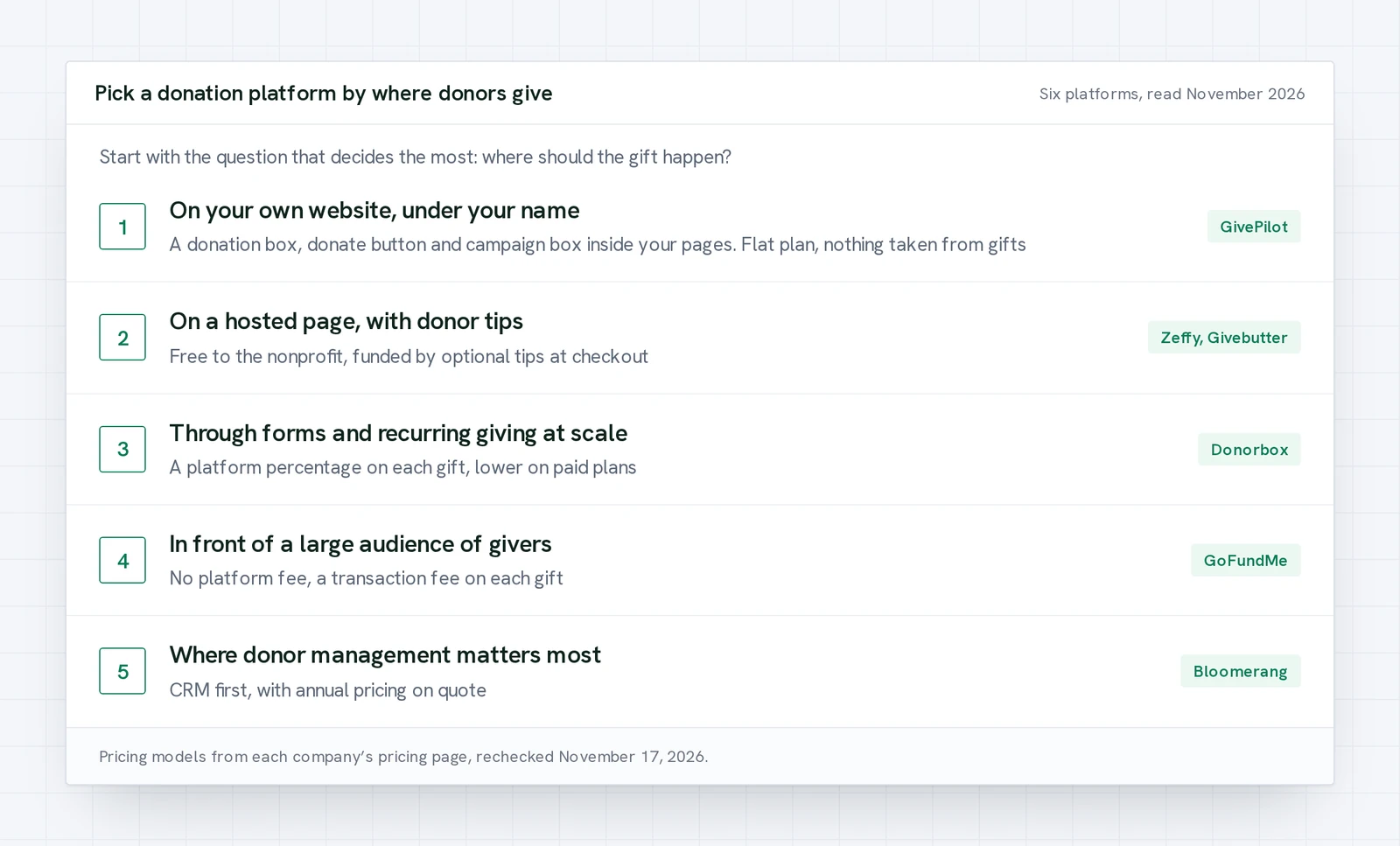
- Decide where donors give. On your website under your name points to a platform built for that, like GivePilot. A hosted page with donor tips points to Zeffy or Givebutter. Donor management first points to a CRM like Bloomerang.
- Do the fee math on your own numbers. Multiply your expected yearly online giving by any platform percentage and compare it with a flat plan.
- Check the checkout your donors will see. Above a few thousand dollars a year online, a flat plan with no cut of each gift usually leaves more for the mission.