


A monthly giving program asks supporters for a small gift every month in place of one larger gift now and then. For you, it turns unpredictable donations into income you can plan around. For the donor, it is one decision that keeps helping. This guide covers what to ask for, what to call it, how to launch it in a month and how to keep people in it.
What a monthly giving program is
It is a recurring donation with an identity. The recurring part is the payment: a card charged the same amount on the same day each month until the donor stops it. The identity is everything around it: a name, a short promise about what the gifts do, and regular news for the people who joined. A monthly option with no identity still works. A named program with a clear promise works better, because donors join something and stay for it.
Why monthly giving matters
- Predictable income. You know roughly what next month brings before it starts, which makes rent, salaries and programs easier to plan.
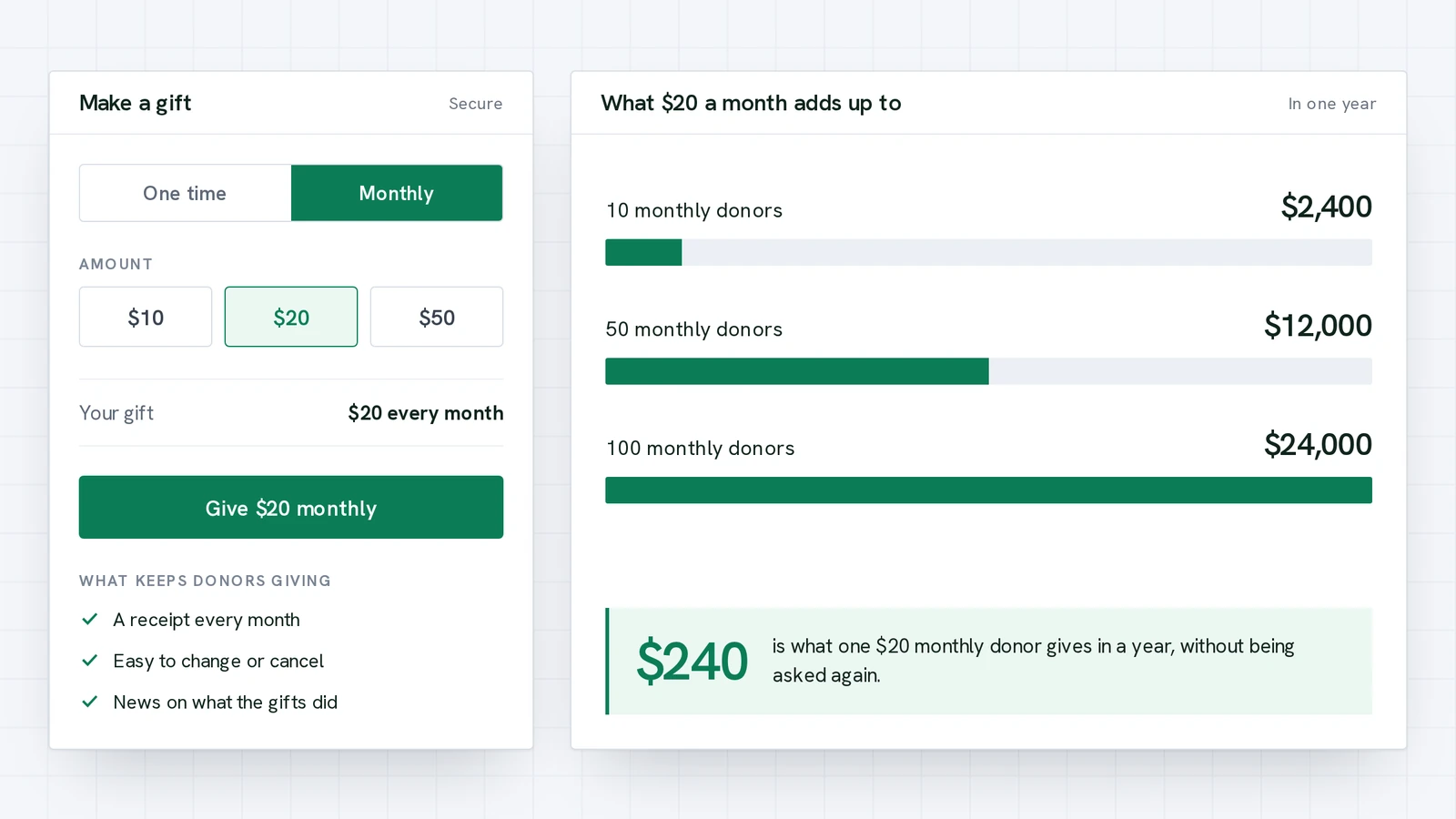
- More over a year. $20 a month is $240 a year. Many people who would not give $240 at once will give $20 a month.
- Less asking. One decision keeps the support coming, so your appeals can focus on new donors and special projects.
- A closer relationship. Someone who hears from you every month, with a receipt and an update, knows your work better than someone who gave once last winter.
Work out what it could bring in
Before you launch, set a target you can explain to your board. Start with the monthly donors you think you can sign up in the first month, the average gift, how many new donors you can add each month and how many will stay. Be cautious with the last number: some donors will cancel and some cards will fail.
What could monthly giving bring in?
Put in your own numbers. The percentage that stay is your assumption, so try a cautious one.
Income by month. This is arithmetic on your inputs, before payment processing fees, not a forecast.
Step 1: Make monthly a choice in the box
The easiest monthly program is a toggle. Put a one-time or monthly choice at the top of your donation box, so every donor sees it at the moment they give. In GivePilot this is built in on the Grassroot plan, and the donate button changes to show the amount and “a month” so nobody is surprised by a second charge.
Step 2: Choose monthly-friendly amounts
Monthly amounts are smaller than one-time gifts. Offer three or four, such as $10, $20 and $35, and tie each to an outcome: “$20 a month keeps a family supplied with clean water”. An outcome turns a price into a reason. GivePilot lets you set up to eight preset amounts plus a custom amount.
You will see large charities ask for amounts like $19 a month. The usual reasons are simple: it sits just under a round number, and it works out to about 63 cents a day, which is an easy sentence to say in an appeal. You do not need to copy the number. Pick amounts your own supporters can say yes to without thinking hard, and say what each one does.
Step 3: Give the program a name
A name such as “Friends of the Library” or “Water Keepers” gives monthly donors an identity and gives you something to put on a page, in an email subject and on a thank-you card. Good names are short, say who the members are, and connect to the mission. Avoid names that only describe the payment, like “Recurring Donors”.
Find a name for your program
Check that another organization near you is not already using the name.
Step 4: Write the ask
A monthly ask has three parts: the problem, what a monthly gift does about it, and how easy it is to start and stop. Keep it to a few sentences. For example: “Every month we feed 140 families. $20 a month covers one family’s groceries for a week. Join the Table Keepers today, and change or cancel your gift any time.” Our free donation letter templates give you a structure to start from.
Step 5: Send a receipt every month
Monthly donors need a record of every gift, and a monthly receipt is also a gentle reminder of the good they are doing. GivePilot sends a receipt for the first gift and for every renewal, in your organization’s name, and on Grassroot it can send from your own email address. If you write receipts by hand for other gifts, the free donation receipt template shows what one should contain.
Step 6: Let donors manage their giving
Donors stay longer when leaving is easy, because they trust you. GivePilot gives every donor a portal: they sign in with a one-time code sent to their email, see every gift and cancel a monthly donation themselves. No password, no awkward email to your team.
Step 7: Report back
The biggest reason monthly donors stop is feeling forgotten. Share what their support did: a photo, a number, a short story. One update a month is enough. GivePilot campaigns carry story updates with photos, which you can post from your console in a minute, and a fundraising thermometer shows progress toward a goal on your own site.
A four-week launch plan
- Week 1: set it up. Connect your payment provider, turn on the monthly option, choose your amounts and name the program.
- Week 2: write it. Draft the ask, a short page about the program and the first three monthly updates so you are never starting from a blank page.
- Week 3: ask your closest supporters first. Board members, volunteers and past donors. Ask each one personally. A program with twenty founding members is easier to join than one with none.
- Week 4: go public. Add the program to your website and email signature, announce it to your whole list and thank the founding members by name where they agree to it.
Keeping monthly donors
- Thank them in the first week. A personal note or call after the first gift sets the tone for the whole relationship.
- Watch for failed payments. Cards expire and get replaced. Stripe can retry a failed payment automatically, so check the retry settings in your Stripe account, and contact the donor kindly when a gift does not go through.
- Ask for an increase once a year, not more. Tie it to something specific: “$5 more a month would add a second delivery day.”
- Mark the anniversary. A short message after twelve months, with what a year of their gifts achieved, is the best retention email you will send.
- Do not hide the exit. A donor who can pause or cancel without a fight is more likely to come back later.
What you need to run it
| Need | How GivePilot handles it |
|---|---|
| Monthly option in the box | One-time or monthly toggle on the Grassroot plan |
| Payments | Monthly gifts through Stripe, paid into your own account |
| Receipts | One for the first gift and one for every renewal |
| Donor self-service | Passwordless donor portal with history and cancel |
| Updates | Campaign story updates with photos |
| Tracking | Monthly gifts counted on your console overview |
GivePilot takes nothing from each gift. Monthly giving is on the Grassroot plan at $17.99 a month; the pricing page has the details. If you are comparing tools first, see our guide to the best donation platforms for nonprofits.
To see how monthly giving, retention and gift size compare across eight causes, read our report on online giving by nonprofit sector.